Looking to set up a custom subdirectory like mintlify.com/docs? Find
instructions here.
Dashboard Settings
- Head over to the dashboard
- Click on “Settings”.
- Click on “Custom Domain”.
- Enter your desired custom domain. For example,
docs.mintlify.com.


Verification with Vercel
If Vercel happens to be your domain provider, you will have to add a verificationTXT record. This information will show on your dashboard after submitting your custom domain, as well as be emailed to you.
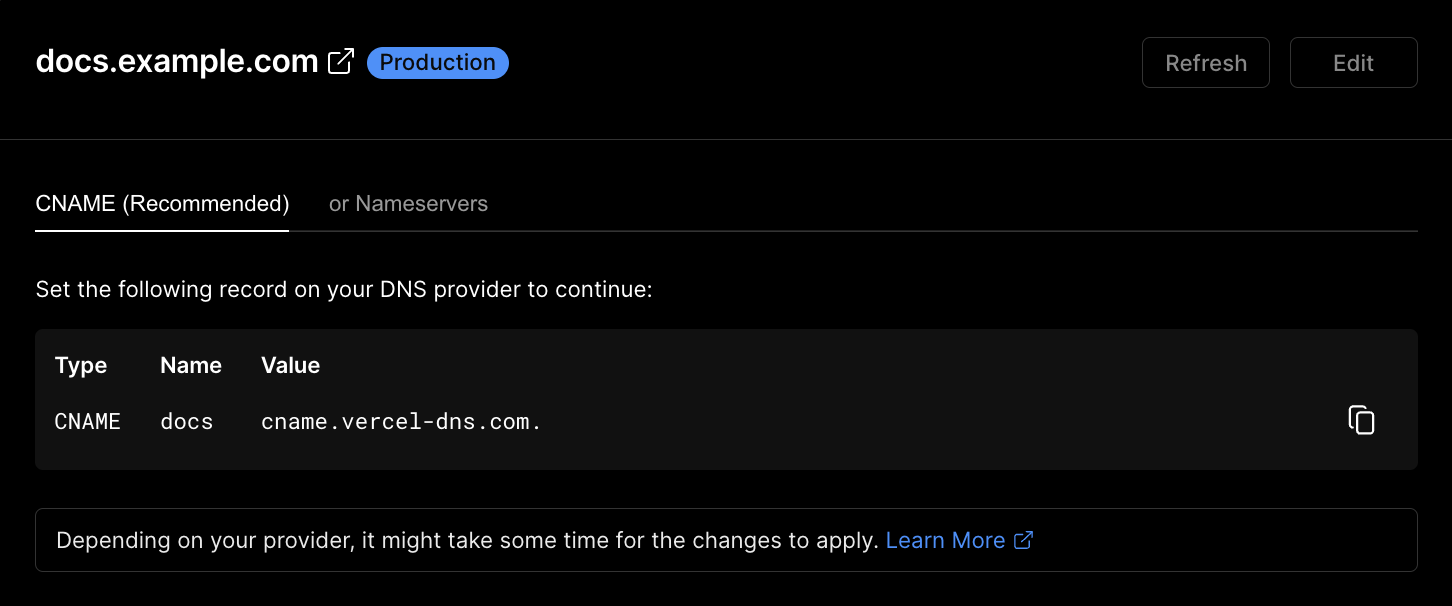
Configuring your DNS
- Proceed to your domain’s DNS settings on your domain provider’s website.
- Create a new DNS entry, inputting the following values: